Overview
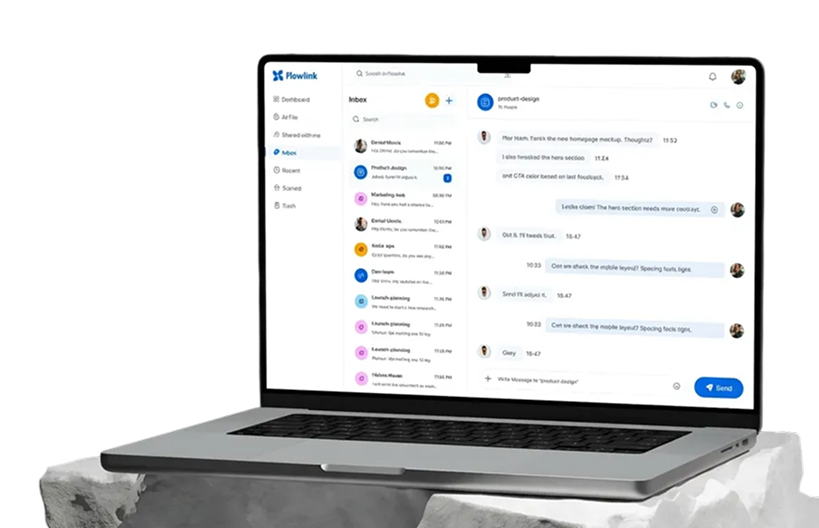
Connect Zentra with Flowlink to bring all your documents, spreadsheets, and presentations into one unified workspace. Create, edit, and collaborate in real time while staying aligned with your team’s projects and conversations.
Every file update is reflected instantly inside Flowlink—so your team always works with the latest version, without switching apps or losing context.
What you can do with Zentra + Flowlink
Zentra integration simplifies file collaboration for your team.
1. Access all files in one place
Open Zentra documents, spreadsheets, and presentations directly inside Flowlink—no extra tabs, no searching.
2. Collaborate in real time
Open Zentra documents, spreadsheets, and presentations directly inside Flowlink—no extra tabs, no searching.
3. Keep files perfectly in sync
Open Zentra documents, spreadsheets, and presentations directly inside Flowlink—no extra tabs, no searching.
4. Stay organized across projects
Open Zentra documents, spreadsheets, and presentations directly inside Flowlink—no extra tabs, no searching.
Tools that make collaboration effortless
Teams love this integration because it removes friction from document collaboration. By bringing files and conversations together, Zentra + Flowlink eliminates confusion, duplicate versions, endless back-and-forth, and scattered team communication.
With everything accessible in one workspace, collaboration becomes faster, clearer, and more focused—helping teams move work forward without distractions.
How to set it up
Connecting Zentra with Flowlink takes just a few minutes.
Step 1. Go to Flowlink integrations
Open Zentra documents, spreadsheets, and presentations directly inside Flowlink—no extra tabs, no searching.
Step 2. Select Zentra
Open Zentra documents, spreadsheets, and presentations directly inside Flowlink—no extra tabs, no searching.
Step 3. Connect your account
Open Zentra documents, spreadsheets, and presentations directly inside Flowlink—no extra tabs, no searching.
Step 4. Choose what to sync
Open Zentra documents, spreadsheets, and presentations directly inside Flowlink—no extra tabs, no searching.
Step 5. Save your preferences
Your files are now fully connected and ready to use in real time.
Start using Zentra + Flowlink
Work smarter, collaborate faster, and keep everything organized.
Connect Zentra with Flowlink and bring your documents into the heart of your team’s workflow.

.svg)


.svg)
.svg)